
Comments and DMs in the Inbox
Inbox collects the comments and direct messages your connected channels receive, so you answer them in one place instead of opening five apps. It syncs on its own — roughly hourly — and lights a dot in the sidebar when something is unread.
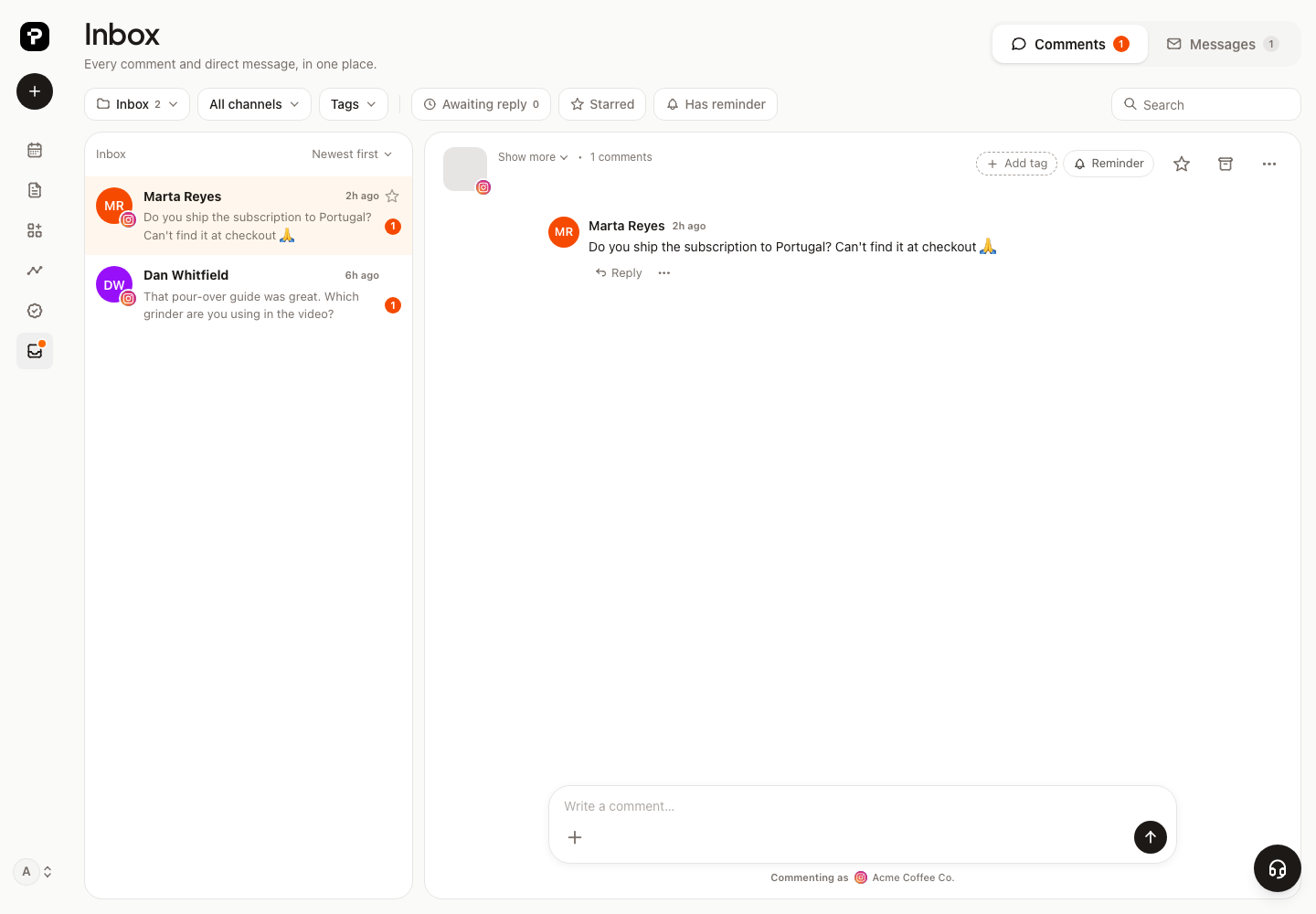
What lands in the Inbox, and what doesn’t#
The Inbox is filled by new activity, not by the fact that a sync ran. That distinction is the whole design: connecting an account with two years of history would otherwise put two years of comments in front of you.
So a thread arrives based on how recent its newest incoming message is:
| Newest incoming message | Where the thread goes |
|---|---|
| Comments: within 7 days · DMs: within 14 days | Inbox, marked unread |
| Within 30 days | Archive — context, nothing to do |
| Older, or no incoming message at all | Kept, searchable, but not listed |
Two consequences worth knowing:
- A comment written while a channel was disconnected is still new to you. Freshness is measured by when the message was sent, not when we managed to fetch it.
- The post’s own age doesn’t matter. A 2022 post that got a comment this morning is a live thread; today’s post with nothing but your own reply on it isn’t.
Folders#

Inbox · Waiting · Archive · Spam. Inbox and Waiting are the active ones — the sidebar dot and the unread counts only ever count those, so nothing in Archive can keep a dot burning.
A quiet thread leaves the Inbox on its own: once it has had no new activity for longer than its window (7 days for comments, 14 for DMs) the nightly sweep moves it to Archive. Starred threads, threads with a reminder, and anything in Waiting are left alone — those are the ones you pointed at.
Nothing is lost when a thread is archived. The first new message brings it straight back to the Inbox, unread.
What you can do with a thread#
- Reply — your answer goes back to the network as your channel.
- Star it, or set a reminder — both exempt it from the automatic archiving, and both pull a thread back into view if it had dropped out of the lists.
- Mark read / unread, move it to another folder, or mark it as spam.
- Hide or delete a comment on the networks that allow it — that acts on the network, not just here.
- Search across everything, including threads that are too old to be listed.
Who can see it#
The Inbox carries private customer messages, so it’s Owner and Editor only — a Viewer doesn’t see the tab at all. See Your team, several brands, and clients.
Good to know#
- It’s per brand. Each brand has its own Inbox, even when the same social account is connected to more than one of them.
- Not every network exposes comments and DMs to tools, and what a channel offers depends on how it’s connected. If a channel you expected is quiet, check it shows as Connected on the Channels page first — see Connecting your social channels.
- A brand-new connection won’t show a backlog. That’s deliberate, not a sync failure: the last month arrives in Archive as context, and only genuinely recent activity reaches the Inbox.