
Connecting your social channels
PostPost.ai publishes to eleven networks: X, LinkedIn, Instagram, Facebook, TikTok, Threads, YouTube, Telegram, Google Business Profile, Bluesky, and Pinterest. You connect them in your brand’s Settings → Social Accounts, where every network has a tile with a Connect button.
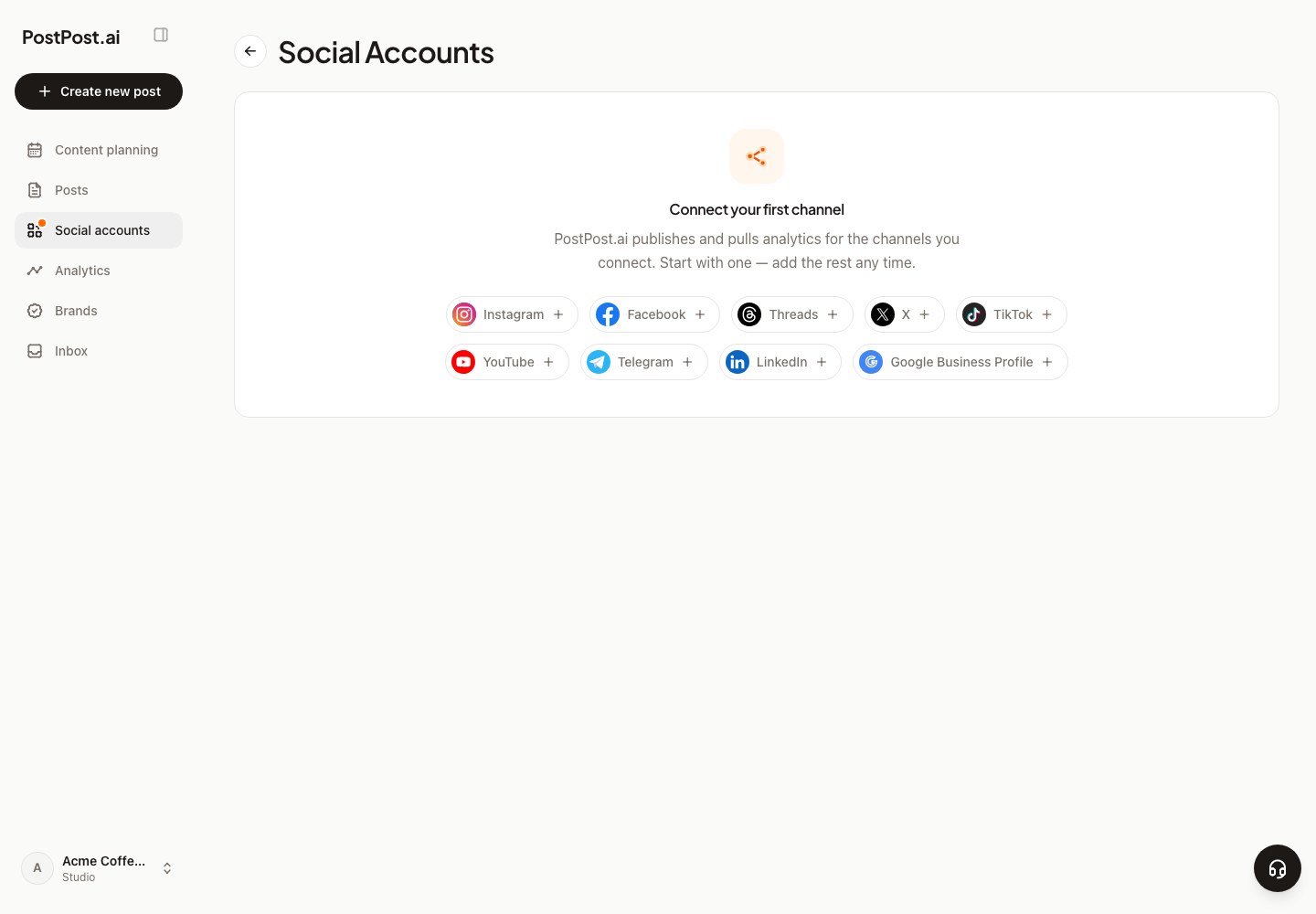
How connecting works#
Press Connect and PostPost.ai opens the flow that network needs. For most networks that means a secure linking page where you sign in on the network’s own site — your password is never typed into PostPost.ai — and the account syncs back automatically when you’re done. Two networks have their own flow:
- X — a standard “sign in with X” authorization. One click, approve access, done.
- Telegram — connects through a bot you own: create a bot with @BotFather, paste the bot token and your channel name (like
@yourchannel), and add the bot as an administrator of the channel. PostPost.ai walks you through each step.
Connecting is a per-brand action: the same Instagram account can be connected to more than one brand if you run several.
What each network requires#
| Network | What you need |
|---|---|
| X | Any X account. Captions over 280 characters need X Premium |
| Your personal profile, or a Company Page you administer | |
| A Professional account (Business or Creator) — Instagram doesn’t allow publishing from personal accounts through any tool | |
| A Page you administer. Facebook has no API for publishing to personal profiles | |
| TikTok | Your TikTok account. Video only |
| Threads | Your Threads account, signed in with Instagram |
| YouTube | A channel you own. Video only |
| Telegram | A channel or group where your bot is an administrator |
| Google Business Profile | A verified profile you own or manage. One photo per post, no video |
| Bluesky | Your Bluesky account. Up to four photos or one video per post |
| Your Pinterest account. One image or one video per pin, always on a board — pick the board in the channel’s settings after connecting |
The Channels page#
Each connected account shows a status: Connected when everything works, Needs reconnect when the network wants you to re-authorize. You’ll also see follower counts where the network reports them, and tiles for the networks you haven’t connected yet.
Disconnecting is safe: it revokes the connection but keeps your posts, their per-channel captions, and their publishing history. The channel simply shows as needing a reconnect. See Why a channel says “Needs reconnect”.
Good to know#
- You can plan and schedule before connecting anything — but a scheduled post with no live channel can’t publish. It reports the miss instead of silently going out later.
- YouTube and TikTok accept video only. A post without a video can’t be published to them.
- LinkedIn personal profiles don’t report post statistics. LinkedIn doesn’t share metrics for personal posts, so analytics there shows as unavailable. Company Pages report normally.
- Reconnecting periodically is normal. Some networks expire access on a schedule, no matter which tool you use. It takes one click, and nothing about your content is lost.