
Publishing in another language
If you sell in more than one language, you don’t translate posts one at a time — you give each language its own brand. Add language, on your brand’s page, makes that copy for you.
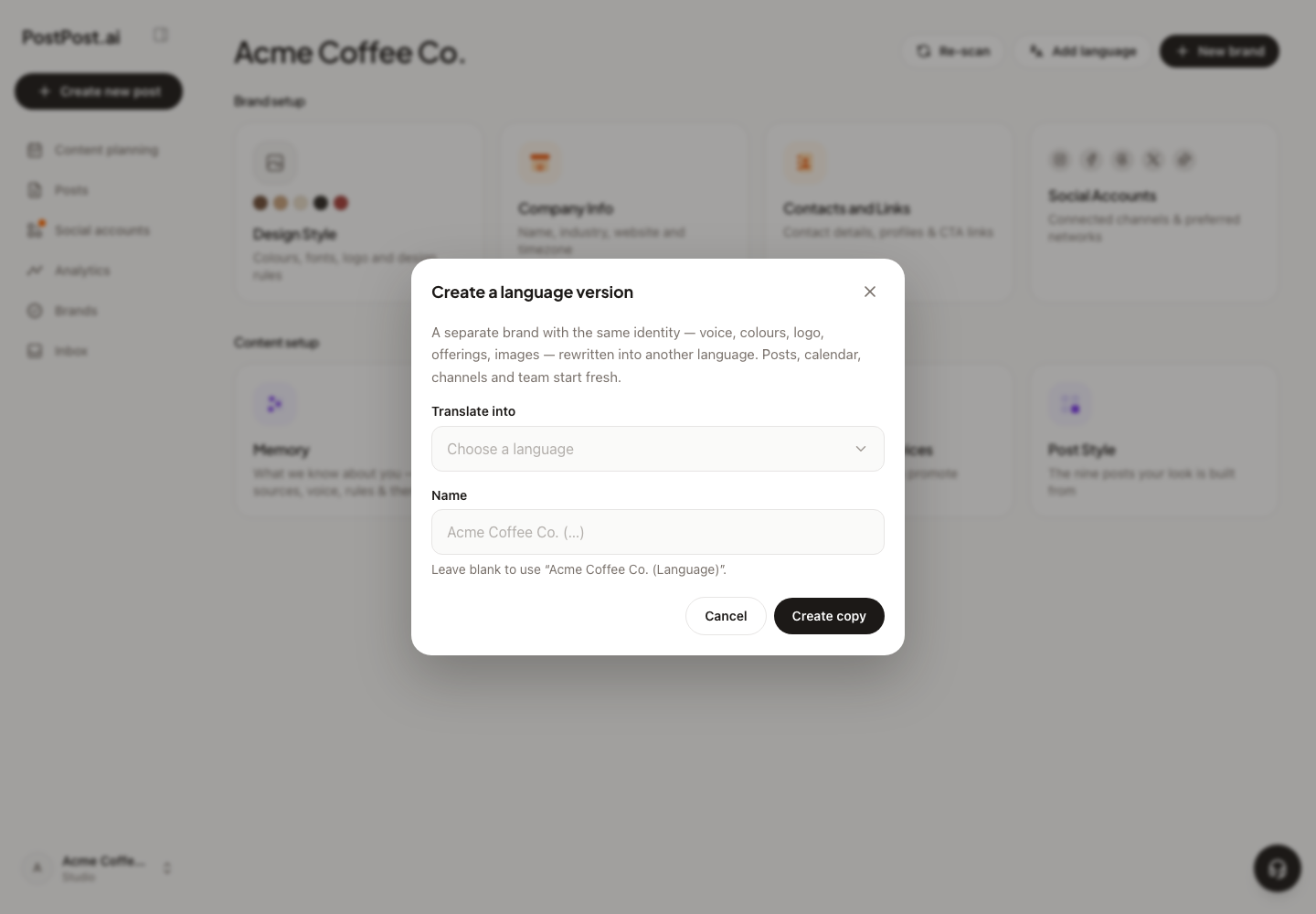
What it does#
Picking a language creates a new brand on your account that carries everything about your identity, then rewrites the prose into that language:
Copied across: the voice and everything the importer learned, your products and services, content pillars, the design side (palette, fonts, logo, design tokens), your media library, and your posting schedule.
Not copied: posts, content plans, connected channels, the Inbox and analytics. Those belong to the original brand’s operations, not to your identity — the new brand connects its own channels and plans its own weeks. Teammates aren’t copied either, on purpose: a different audience often means a different crew, so invite them per brand.
Names stay names. The rewriting covers the prose — your voice, the about text, what each product or service says, your content pillars. Your brand name and your product names are left exactly as they are, so “House Espresso Blend” doesn’t come back as something nobody searches for.
From then on the two are separate brands living their own lives — the copy is a snapshot, not a mirror. Editing one doesn’t change the other.
What it costs#
- It counts as a brand. A copy uses one of your plan’s brand slots, so it needs a free one — 1 on Business, 3 on Pro, 10 on Studio, unlimited on Agency. See Plans and what’s included.
- The translation spends AI credits, because it’s a real pass over your whole brand vault by the AI. Bigger vault, bigger cost — PostPost.ai checks your balance before starting rather than halfway through. See How AI credits work.
- Owner only. The copy lands on the account owner’s plan and spends their credits, so an Editor can’t start one.
How to do it#
- Open the brand you want to copy.
- Press Add language and pick the language — any of the two-letter codes we support (
es,de,fr,pt,pl,uk,ja,ar, and a few dozen more). - Wait for the copy. The identity is ready almost immediately; the media library and the translated prose finish in the background, so the new brand fills in as it goes.
- Connect that brand’s channels and plan its first week — exactly as you would a new brand. See Approve your first week.
Good to know#
- Wait for the import to finish. If the source brand is still being analyzed, the copy is refused until the parse is done — there’d be nothing settled to copy.
- Every writer in the new brand produces that language from the first post, including the content plan and the captions per channel. You don’t have to say “write in Spanish” anywhere.
- The same social account can be connected to both brands if you genuinely post to it in both languages — though most people connect separate accounts per language.