
Your account and sign-in
Everything about you — as opposed to a brand — lives in Settings. It’s per person: your teammates each have their own, and changing yours doesn’t move anybody else’s times or preferences.
Profile#
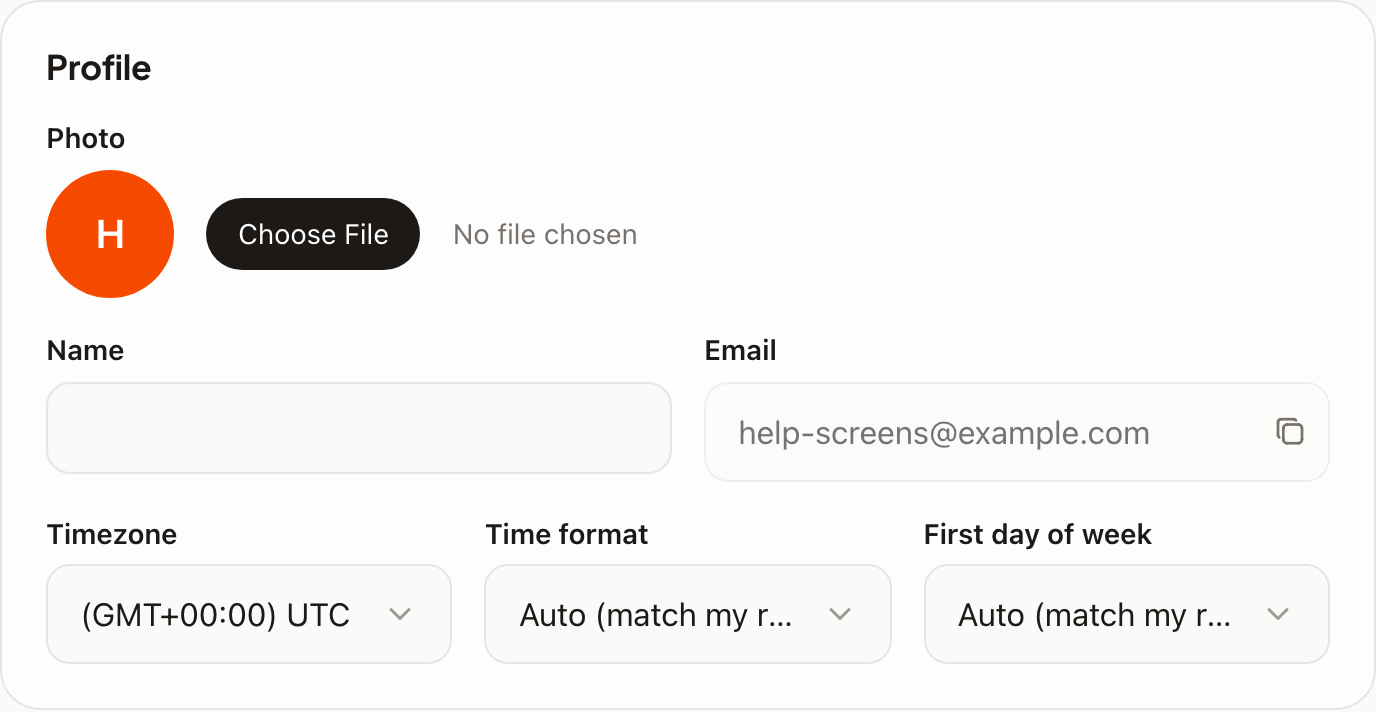
- Photo and name — what your teammates see next to the posts you write.
- Email — shown, but read-only: the address is fixed after signup, so there’s no self-serve change. If you need a different address, ask in the support chat and a human will do it.
- Timezone — your time zone. It decides how every date and time in the app is displayed to you, and how the times you type are read. It does not move your publishing schedule: that belongs to the brand. This trips people up often enough to be worth reading twice — see Scheduling, time zones, and cross-posting.
- Time format — 12-hour or 24-hour. Left on Auto it follows your region, which is right for most people.
- First day of week — Monday or Sunday for the calendar and the weekly plan; Auto follows your region here too.
Changes save as you make them; there’s no Save button to hunt for.
Password#
Under Password: your current password, then the new one twice.
Signed in with Google? Then you have no password to change — you keep using the Google button. And if you’ve forgotten a password, use Forgot password? on the sign-in screen; the reset link arrives by email.
Signing in#
- Email and password, or Continue with Google — either way it’s the same account, as long as the address matches.
- Sessions are per device, so signing out on your laptop leaves your phone alone.
What’s not here#
Your plan, credits and invoices are in Billing — see Plans and what’s included and Changing or cancelling your plan. Anything about a brand — its voice, its channels, its time zone — is in that brand’s own settings, not here.